
Introduction
Maximizing cash flow in a project organization comes down to one thing: getting the most out of your scarce resources. When the schedule changes, the financial forecast changes with it automatically: if a project slips two weeks, its payments and the break-even point move with it the same day.
For the reason of control and visibility we have introduced functionality that applies a linkage of the financial income information to the resource-constrained schedule of the portfolio, a schedule that is not a plan on a shelf but the one organization works on every day. Payments are attached to milestones, and milestone dates come from the resource-constrained schedule of the whole portfolio.
Cash Flow in Epicflow is a forecast when milestones can be invoiced and when payments are expected to arrive.
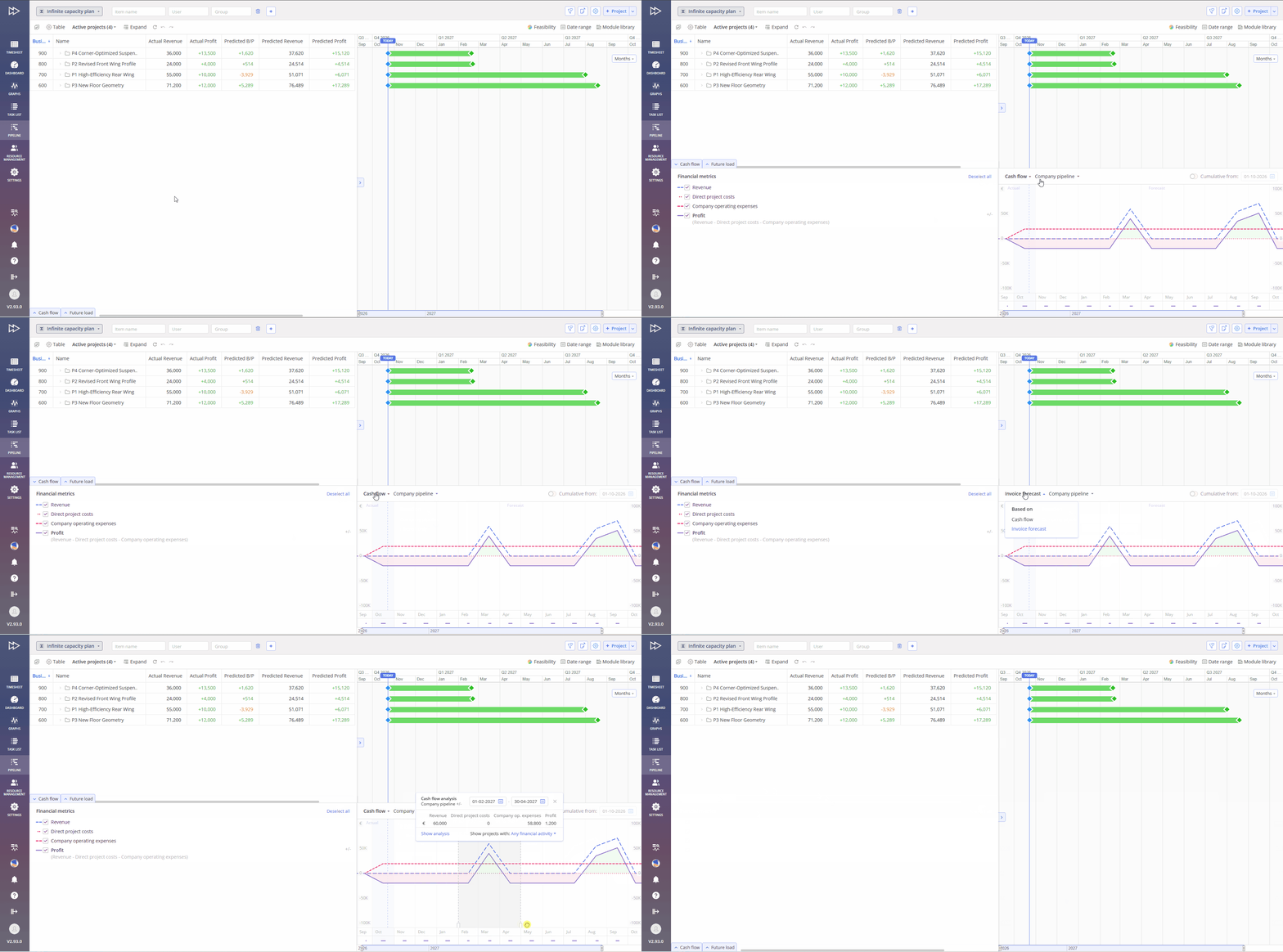
#Screen 1 Cash Flow – Overall Overview
Advantages
- Living forecast: payment dates are recalculated from the real work and available capacity, not re-typed every planning cycle.
- People and money in one view: Future Load shows whether you have enough people, Cash Flow whether you have enough money, on the same timeline.
- Decision support: test a different project sequence or resource allocation (for example in What-if Analysis) and see its effect on expected cash flow before committing to it.
- Contract terms in the plan: advances, stage payments, remaining balance, recurring revenue and bonus/penalty clauses are linked to the milestones they belong to.
How It Works
Cash Flow spans multiple interconnected areas. Some components overlap and share similar functionality, while changes to individual elements affect the overall analysis.
Milestone card, Payments tab
It allows to configure the payments and the Bonus/Penalty scheme linked to the milestone.
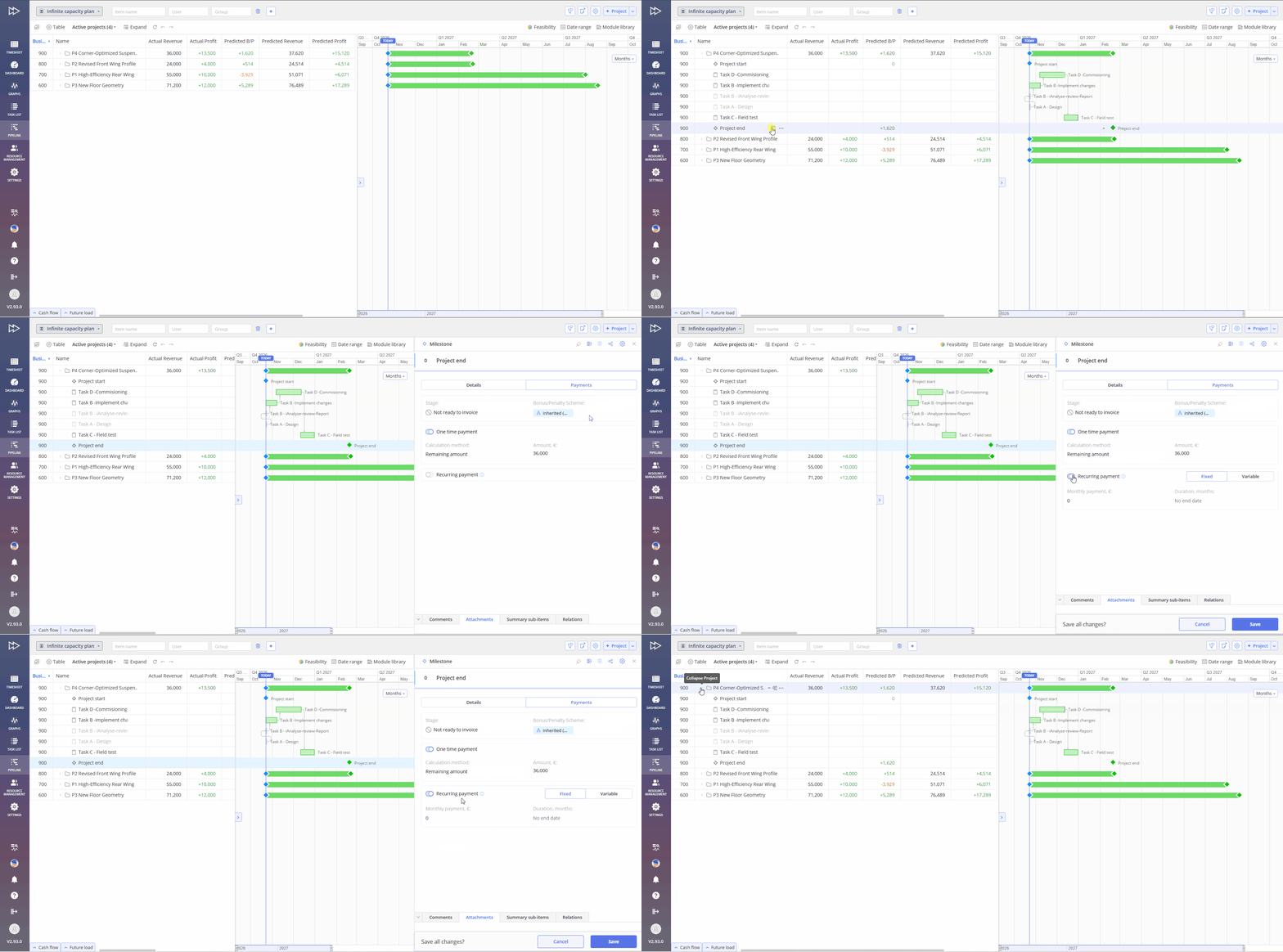
#Screen 2a Cash Flow – Milestone card – Payments tab
Payments can be linked to any milestone, including Start/End of Phase and Project End. Several types can be combined on one milestone.
| Payment type | How it is set | Logic |
| One-time payment | Calculation method: Fixed amount (€), Percentage of contract value, or Remaining amount. | Paid when the milestone is ready to invoice. Only one calculation method per milestone; can be combined with a recurring payment. |
| Recurring payment | Monthly amount plus duration in months, or “No end date”. The Variable mode lets you set an amount per month. | Starts when the milestone is ready to invoice. Not included in contract value or Remaining amount; it is additional income. |
| Remaining amount | Third calculation method of a one-time payment. Calculated automatically: Expected revenue minus all other one-time payments. | Only one milestone per project; by default Project End. Selecting it on another milestone asks for confirmation to move it. |
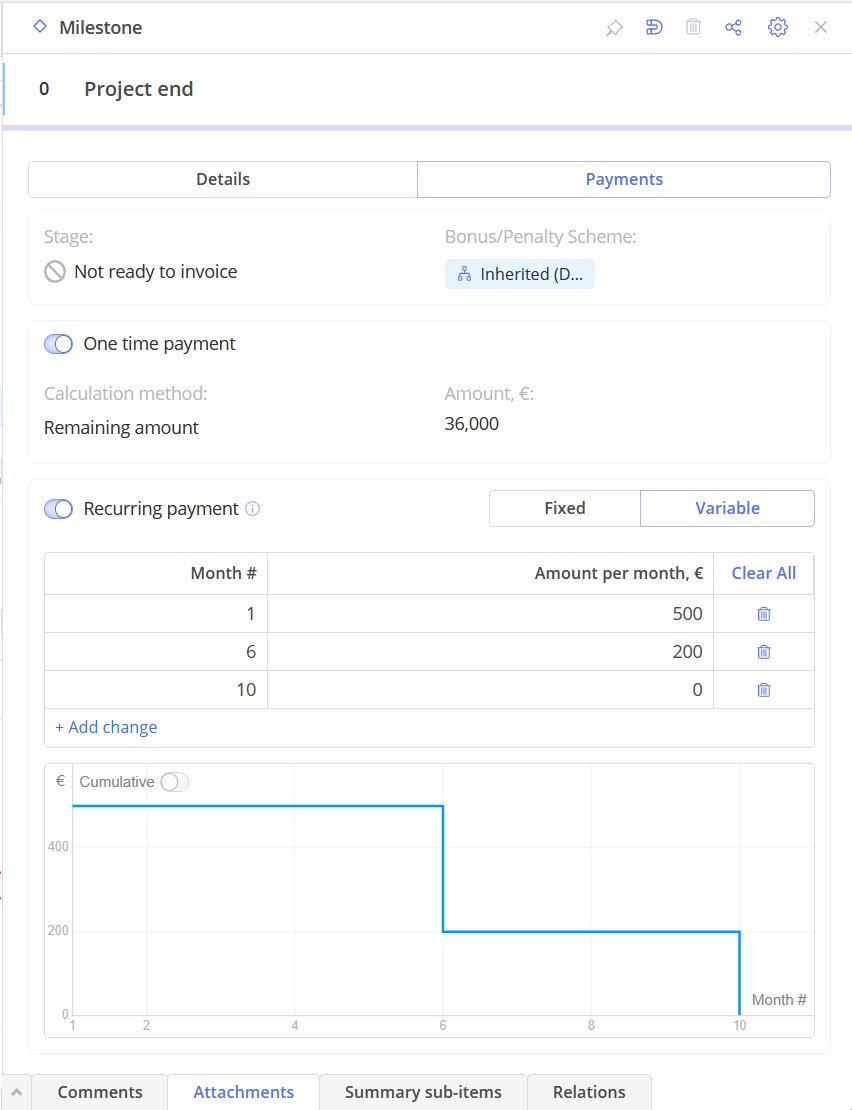
#Screen 2b Cash Flow – Milestone card – Payments types – Recurring variables
For Recurring Payment, you can choose how the graph displays values: monthly amounts or cumulative totals over the selected period.
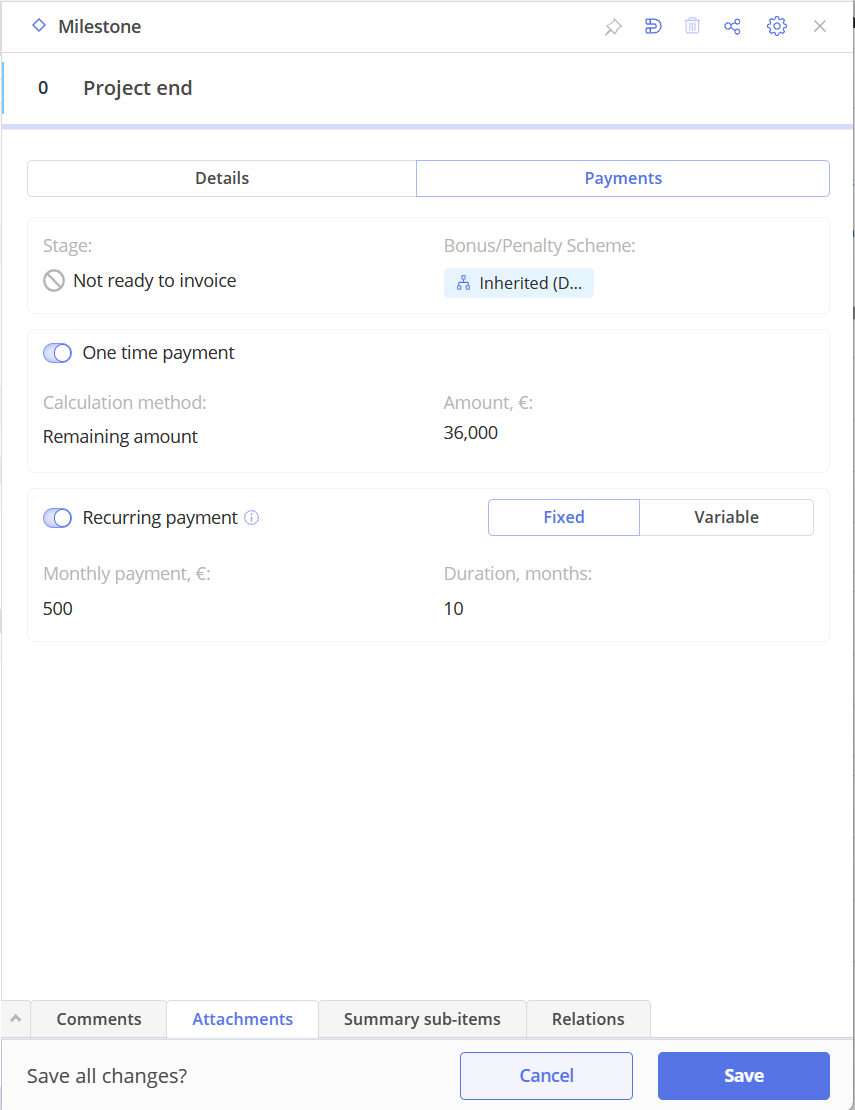
#Screen 2c Cash Flow – Milestone card – Payments types – Recurring fixed
Phase card
Provides an approach to set payments for Start of Phase and End of Phase (e.g. an advance and a completion payment) without opening each milestone.
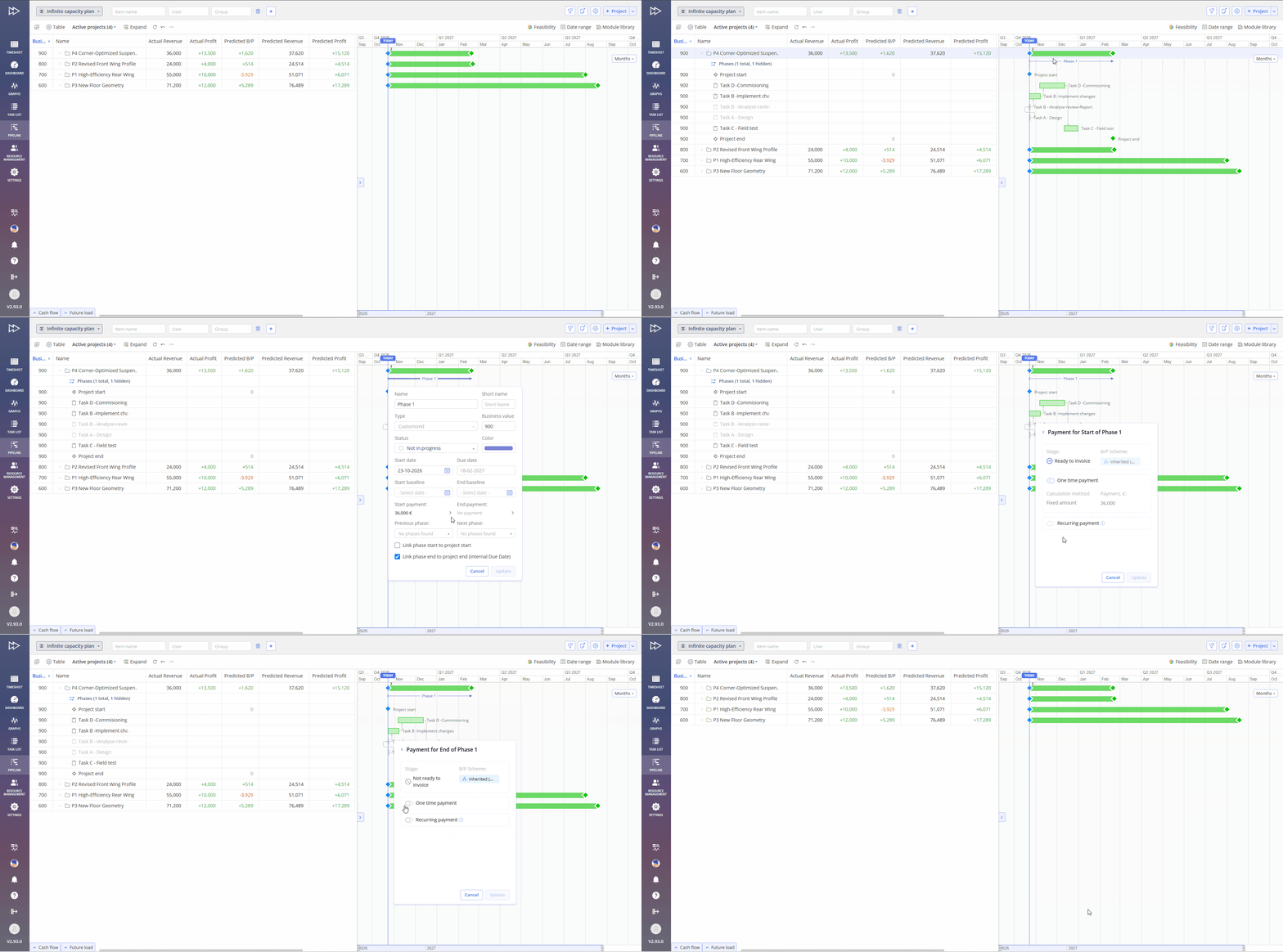
#Screen 3 Cash Flow – Phase card
Similar to Milestones, Payments can be linked to any Phase and use the same payment types and configuration options.
Project card, Cash Flow tab
Use the Project Cash Flow tab to review all milestones and payments, track their status, and analyze project totals.
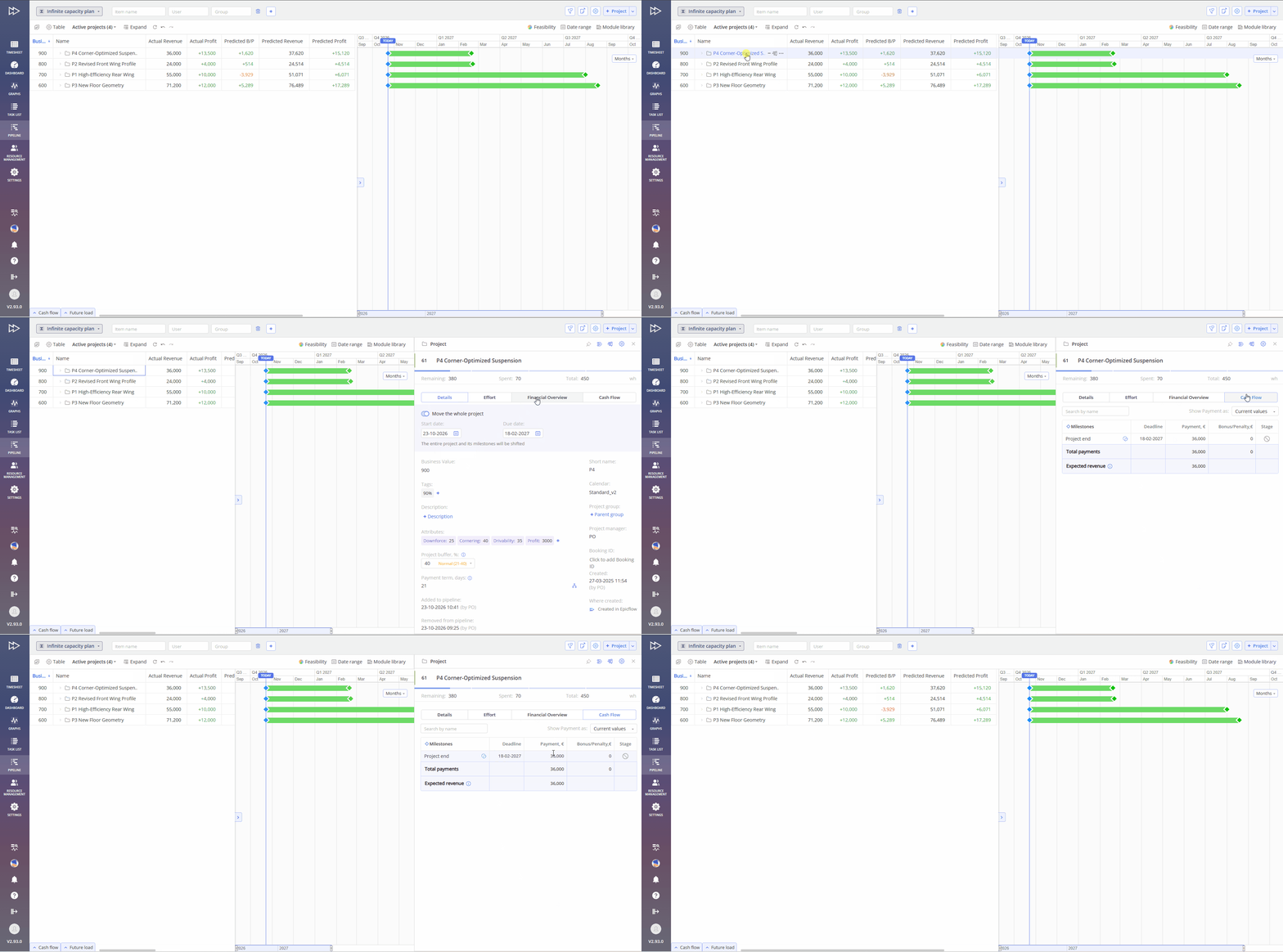
#Screen 4 Cash Flow – Project Card – Cash Flow
The tab lists only milestones with at least one payment enabled, in chronological order (custom sorting is intentionally not available, as the table represents a flow). Columns:
- Milestone, Deadline, Payment;
- Bonus/Penalty: the value from the applied scheme; hover over it for details;
- Stage: Not ready to invoice / Ready to invoice.
A summary block pinned at the bottom shows Total payments, Expected revenue and, if present, Unallocated: the part of the Expected revenue not assigned to any one-time payment. The Remaining amount sign is shown next to the milestone it is assigned to.
Company / portfolio level, Cash Flow tab
The Cash Flow tab, located next to Future Load, displays key financial metrics for further analysis.
Both tabs can be expanded at the same time to compare resource load and money.
#Screen 5 Cash Flow – Company / portfolio level
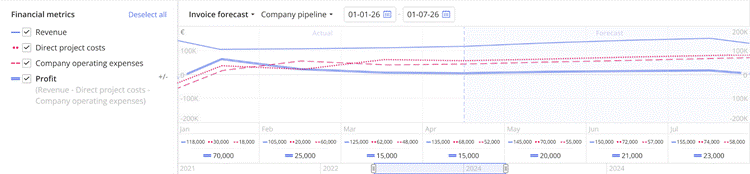
Cash Flow provides two forecasts, available via a switch:
- Invoice Forecast: when a milestone becomes ready to invoice, i.e. when the company can contractually send an invoice.
- Cash Flow: when the money is expected on the company account, i.e. the ready-to-invoice date plus the payment term.
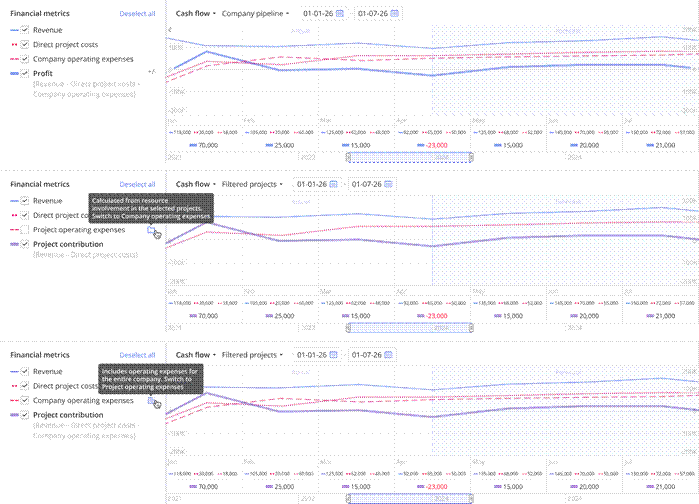
Operating expenses can be shown as Project Operating Expenses (based on resource involvement in the selected projects) or Company Operating Expenses (the whole company). The type can be defined by selection from the corresponding dropdown located to the right from the Cash Flow forecast option.
- Company Pipeline – used for Metrix as: Revenue, Direct Project Costs, Company Operating Expenses, Profit.
- Filtered Projects – used for Metrix as: Revenue, Direct Project Costs, Project Operating Expenses, Project Contribution (used instead of Profit, as it is not the full company profit).
Key features of the chart:
- The Today line separates actual data (solid line) from forecast (dashed line).
- The zero line is an absolute zero; amounts are rounded (e.g. in thousands, “K”).
- Granularity is one month; the horizon is up to 10 years, aggregated into quarters/years at larger scale.
- Inactive projects can be added, as in Future Load.
Cash Flow Analysis
Similar to Load Analysis, clicking a month on the chart opens a breakdown showing which projects bring in income and which require expenses that month. Two modes are available: Cash Flow Analysis (expected receipts) and Invoice Forecast Analysis (expected invoices).
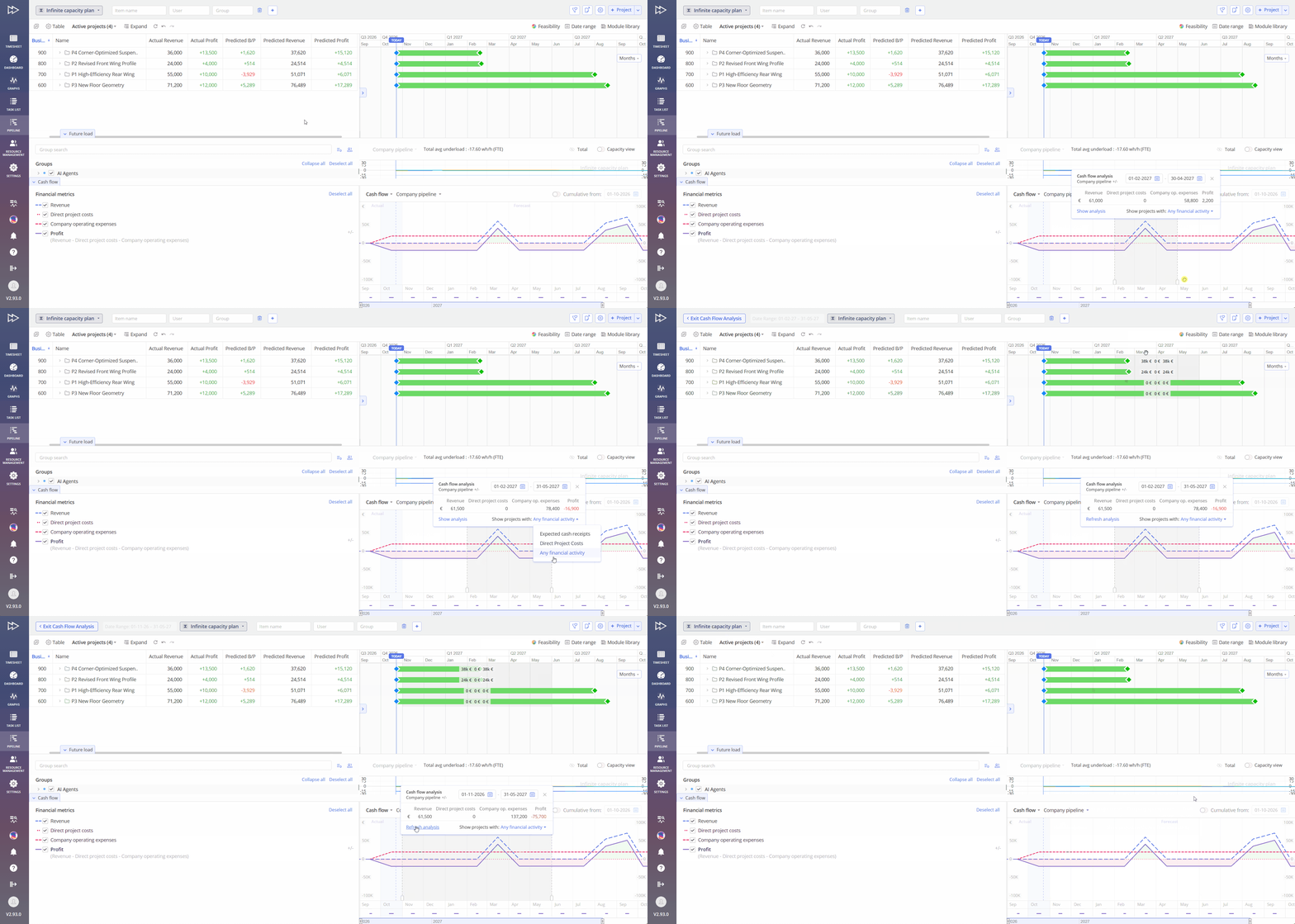
#Screen 6 Cash Flow – Company / portfolio level – Analysis
Bonus/Penalty scheme
A Bonus/Penalty scheme adjusts a milestone payment depending on whether the milestone is reached before the deadline (bonus) or after it (penalty). On each milestone you can use the project’s default scheme (Inherited) or define your own.
For example, with a scheme of +2% per week early and −5% per week late, a €30,000 payment for a milestone predicted one week late is forecast as €28,500.
Note
If no deadline is set on the milestone, the Bonus/Penalty scheme is not applied and the calculated milestone date is used as the payment date.
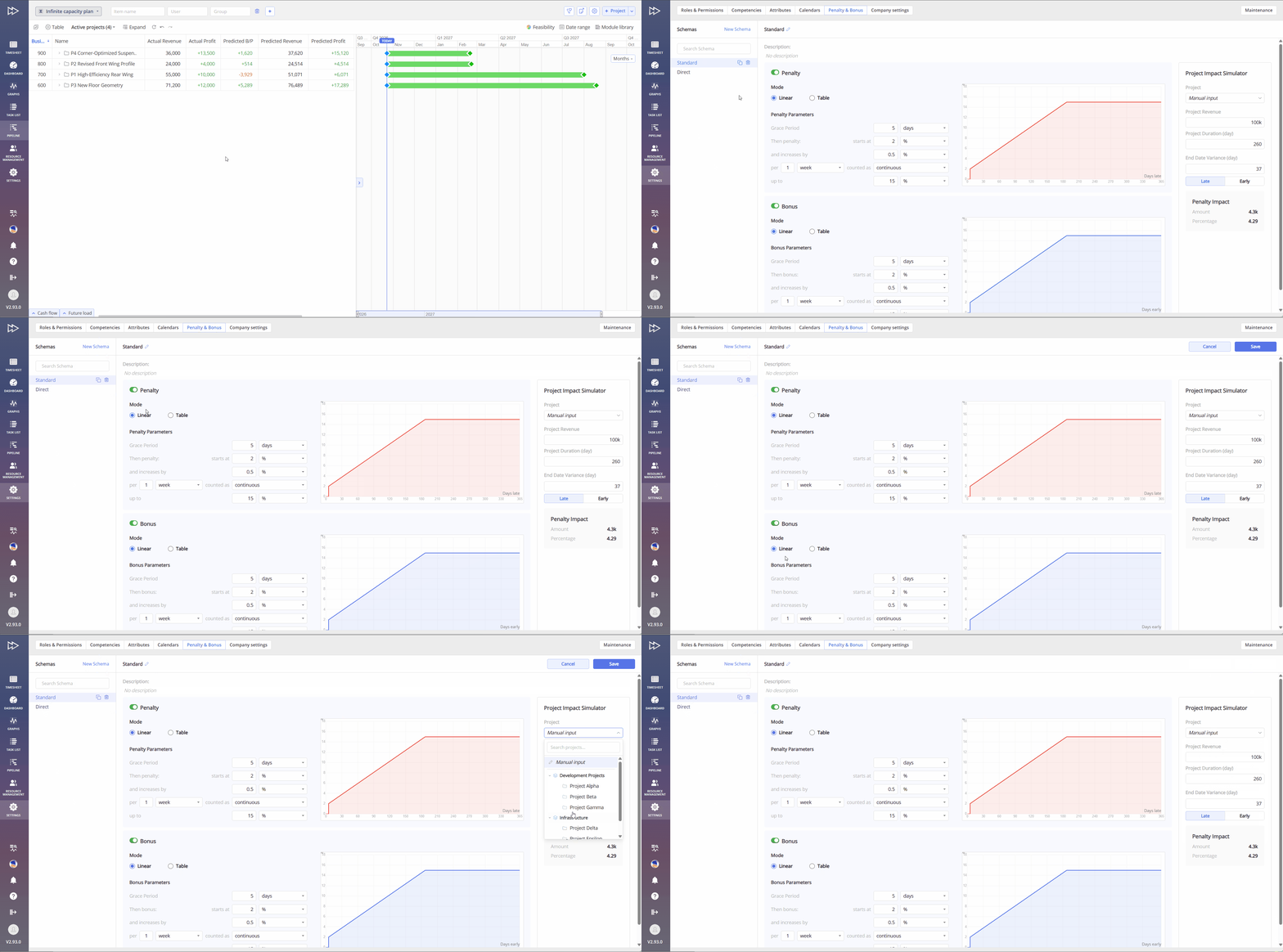
#Screen 7 Cash Flow – Bonus/Penalty scheme
Example 1: Payment schedule of a project
A project has an Expected revenue (contract value) of €100,000:
- Project Start: one-time payment, 20% of contract value = €20,000 (advance).
- End of Phase “Design”: one-time payment, fixed amount €30,000.
- Project End: Remaining amount, calculated automatically = €100,000 − €20,000 − €30,000 = €50,000.
- Project End: additionally a recurring payment of €2,000/month for 12 months (support contract) = €24,000 on top of the contract value.
Total expected income: €124,000. If the Design phase is predicted to finish two weeks later, the €30,000 payment moves two weeks later in the forecast automatically.
Invoice Forecast vs. Cash Flow
Invoice Forecast shows the month in which milestones become ready to invoice; it is most relevant for planners. Cash Flow adds the payment term, which can be set at company level and overridden at project group or project level; it is most relevant for finance.
#Screen 8 Invoice Forecast
#Screen 9 Cash Flow
Roles and permissions
- Project financial data is controlled by the Project Financial Info permission: View shows milestone payments, Manage also allows editing them.
- Company-level Cash Flow is visible to users with Project Financial Info access to at least one project.
See also: Roles and permissions – overall overview.