
Before proceeding with this article it’s advised to read and get familiar with the concept of “Inter-project relation” and “Cloned Milestones” functionality.
Introduction
In the intricate web of project management, interconnected projects often hinge on each other’s outcomes. One project’s completion can be pivotal for the inception or progression of another. For this reason, accordingly to the Theory of Constraints (TOC), Epicflow applies the drum concept that will help to define the resource, process, or constraint that determines the overall pace of projects. The main concept is to set the schedule that the rest of the connected Projects must follow, to ensure that the project achieves its objectives without overloading the limiting resource.
Provided bellow method helps to
- Sets the pace and schedule based on the Project’s constraint.
- Protects the schedule against uncertainty and unexpected delays, helping ensure that the constraint can continue working effectively.
- Synchronizes the release of work with the drum’s schedule, so that activities are synchronized and work-in-progress is not excessive.
When Milestone reschedule is taking place automatic linked Projects update will take place. Epicflow introduce solution through the concept of “Milestone linking“, “Inter-project relation” and “System Attributes“.
How It Works
Let’s illustrate the concept with two examples.
Please note that no connections or linkages are required for our milestones to demonstrate this functionality.
Example 1: A single project
- Imagine a project ‘Project 1’ with several internal milestones.
- We can assign a special System Attribute Drum, to any milestone among present in the Project, including the Project Start and Project End.
- When the date of the milestone marked as Drum changes, the other milestones in the Project adjust their dates accordingly, maintaining the defined schedule relationships.
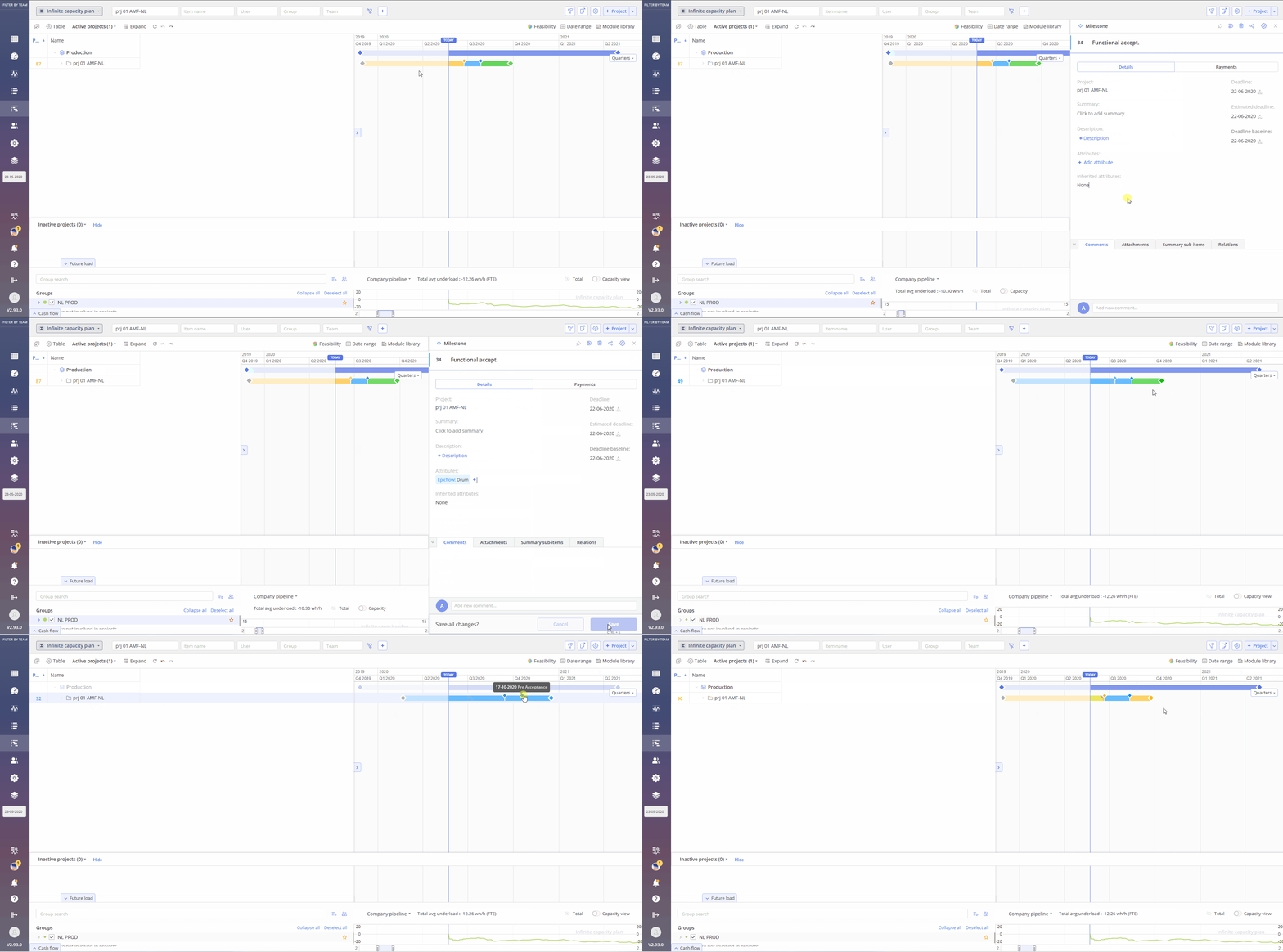
Screen #1 – Milestone of Project 1 – Drum functionality
Example 2: Several projects
- Imagine two projects: ‘Project 1’ and ‘Project 2’. For the sake of clarity, let’s say Project 2 requires an output from Project 1 to proceed.
- The milestone in Project 1 is termed the ‘Original Milestone’ and is marked with an “o”.
- In contrast, Project 2 has a ‘Cloned Milestone’ from Project 1, marked with a “c”.
- Each of milestones in relations are assigned with the System attribute Drum
- When the date of the Original milestone marked as Drum from the ‘Project 1’ changes, the other milestones in the ‘Project 1’ and ‘Project 2’ adjust their dates accordingly, maintaining the defined schedule relationships.
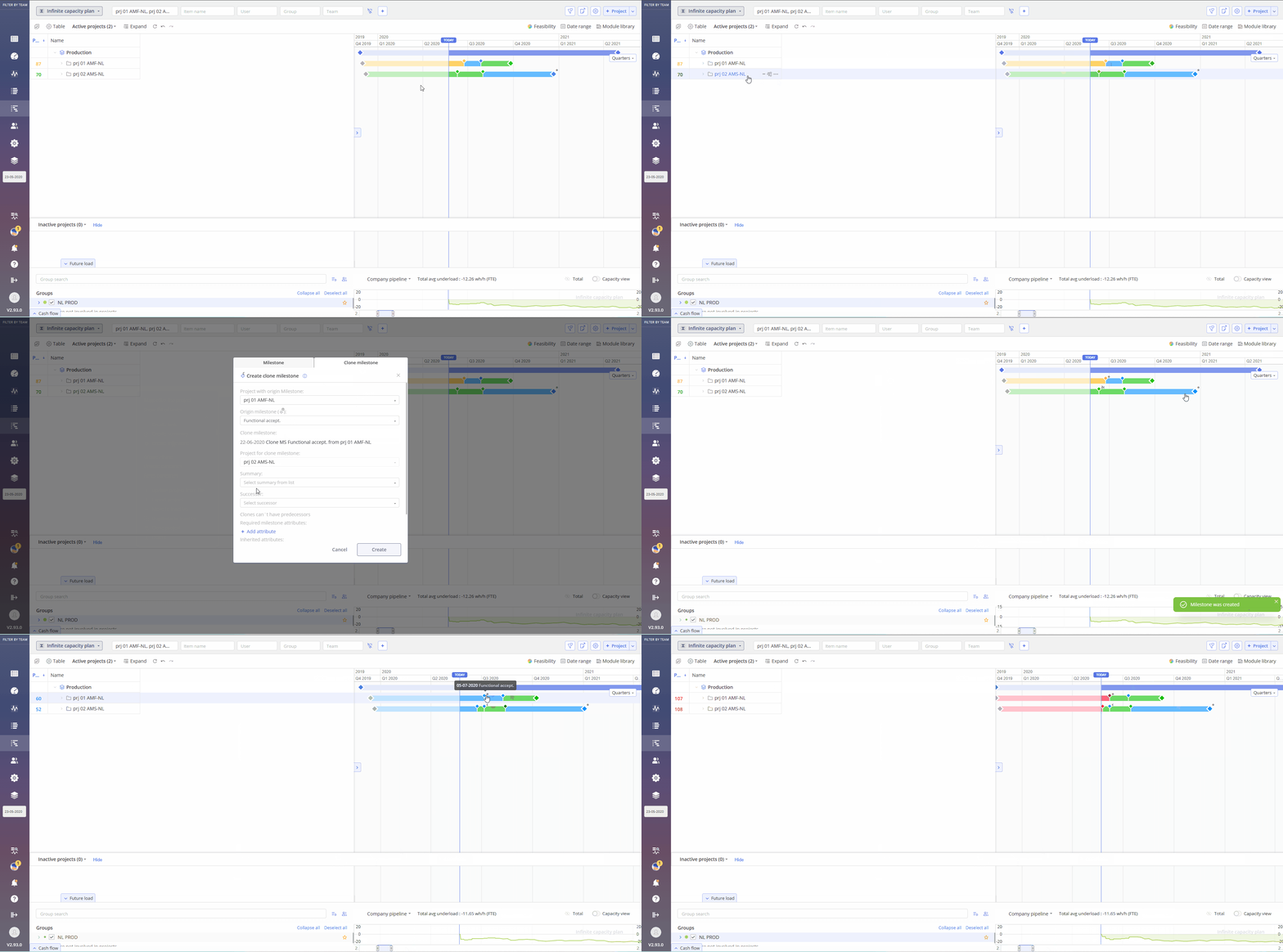
Screen #2 – Milestones of Project 1 and Project 2 – Drum functionality
General Information and Limitations
- The system attribute “Drum” is available by default and requires no additional management, such as creation or editing.
- Only one milestone with the system attribute “Drum” can be assigned per project.
- Clone MS can’t be set as a successor
- Color of cloned MS will be set as color of original MS
- Priority of cloned MS will depend on its successors.
- Changes of MS is limited only to changes for the original MS in the original project. No cloned MS can be changed\moved. Multiple MSs selection (“Select MSs to the right” option which appears on hovering over the milestone) is applicable only for original MS excluding cloned.
- Moving the original MS, which can cause ‘black ranges’ in other projects, is allowed.
- If Original MS was deleted and recreated later cloned MS will become internal one and no connection between those will be recreated.
- Deletion of the original Project with original MS will make all cloned MS as regular one.
- Connection points can’t be used for sharing.
- Auto-calculated MS can’t be used for sharing.